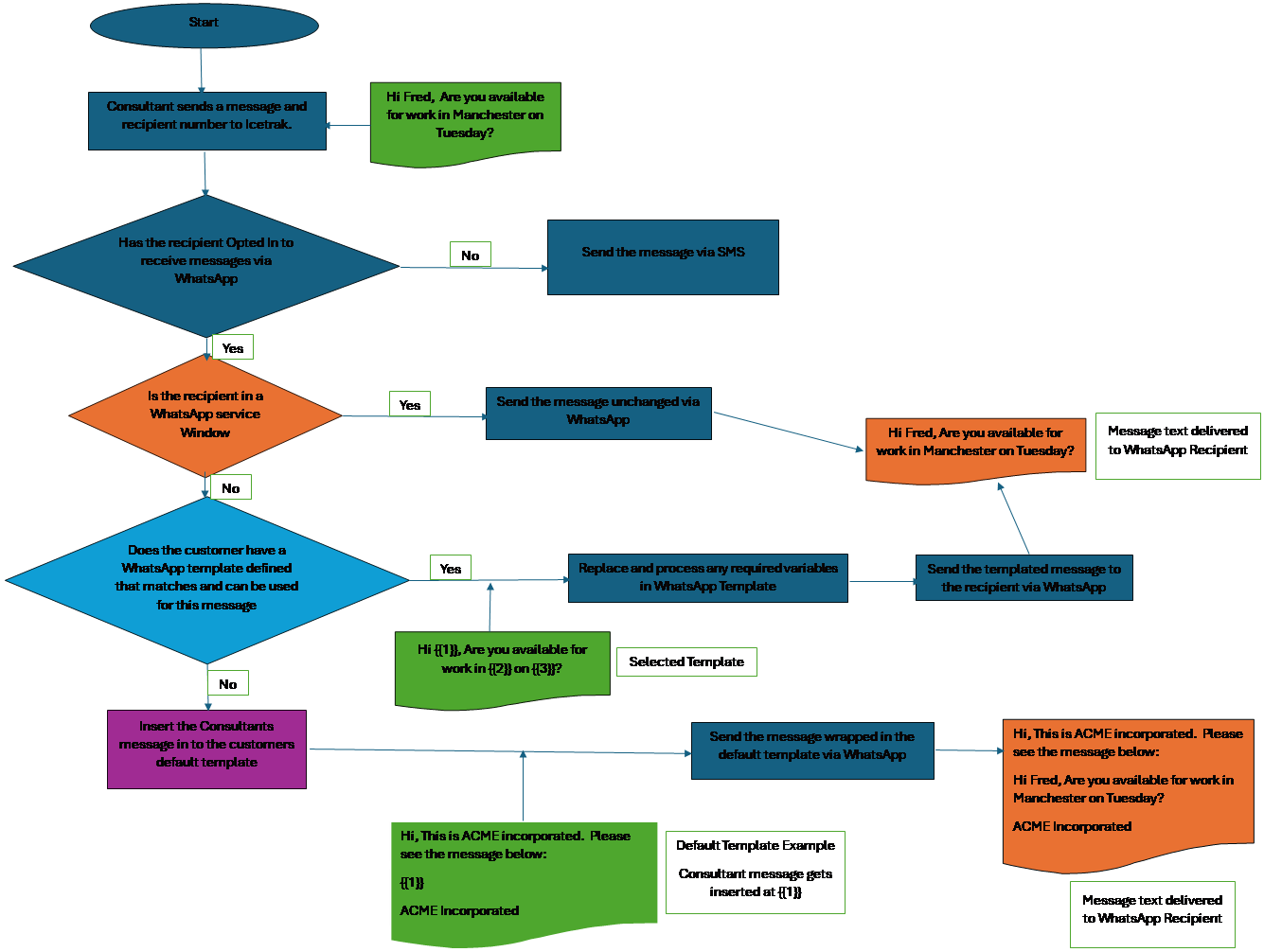
Icetrak Message and WhatsApp Template Flow
This
document is designed to show the process flow that Icetrak
follows to ensure any message can be sent at any time during a WhatsApp
Conversation.
Consultants
do not need to worry about WhatsApp templates as Icetrak
takes care of ensuring a message is wrapped correctly depending on the “service window” status of a
recipient.
N.B.
A WhatsApp “service window” begins when a candidate sends a WhatsApp message to your WhatsApp
Business number. i.e. An inbound
message to you or your business. A “service window” lasts for 24 hours
and during this period it is possible for a consultant within your business
to send any outgoing message to the candidate. i.e. The recipient will
receive exactly what the consultant entered. If the recipient is not in a “service window” (i.e. They haven’t sent
you any messages in the previous 24 hours) any message sent by a consultant
must be wrapped in the system default template or reverse engineered in to
one of the customers defined WhatsApp templates. WhatsApp allows the
customer to define their own templates for messages that can be sent
outside of a “service window”. When Icetrak receives a message from a consultant we will
scan the list of templates defined on the customers WhatsApp account to see
if we can find a match. If we find a
match we’ll send the message as a template. The consultant
doesn’t need to worry about templates as Icetrak
will search for any matching WhatsApp templates. If a template match can’t be found
and the recipient is NOT in a “service window” the message needs to be
wrapped in the customers default template.
Consultants
just type a free format message and press send.